“My account” menu: your data on all your devices
User guide · updated 19.10.2026
Optional and free: a 20-character code, with no e-mail or name, to get your data back on another phone.
What this menu is for
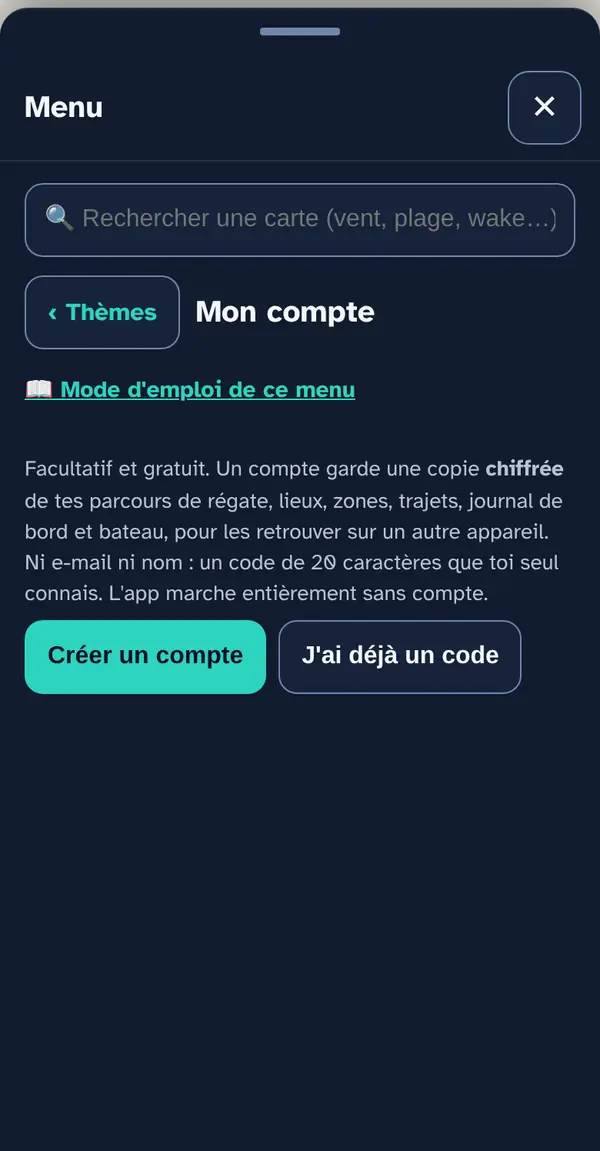
The account keeps a copy, encrypted on your device, of your race courses, places, zones, routes, logbook and boat, so you can get them back on another device. The app works fully without an account.
How to use it
- Create account: accept the terms, tick “I'm not a robot” (your phone computes for a few seconds: no third-party service, no cookie), then “Create my account”.
- Write down your code: it's the only key to the account. It's never sent to the server and nobody can recover it if it's lost. “Copy” or “Recovery file”, then tick “I've written my code down somewhere safe”.
- By email: “✉️ Email me the code” opens your email app with the code already written in; enter your address and send. Navleman sees neither the code nor your address; anyone who reads that mailbox can open your account.
- On another device: “I already have a code”, type the code (hyphens optional). The account's data is merged with the phone's: nothing is deleted.
- Afterwards: “Sync now”, “Show my code” from a signed-in device, or “Delete my account” (immediate deletion from the server).
What this menu tells you, and what it doesn't
What it tells you. Your data, encrypted, on all your devices.
What it doesn't tell you. It isn't a guaranteed backup: keep an export too (Settings and data). GPS tracks and display settings aren't synced. Lost code = lost access.
Navleman is a navigation aid, not an official nautical document: the official chart, the storm warning lights and the authorities' instructions always take precedence.